wine下捕捉hid通信
问题概述
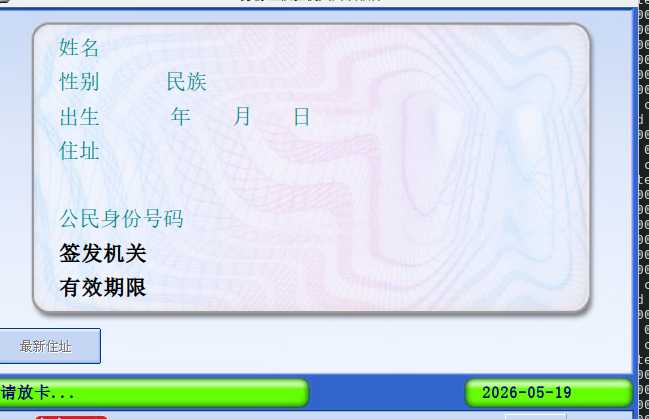
hid设备在wine下无法被识别window中正常使用
问题截图
分析流程
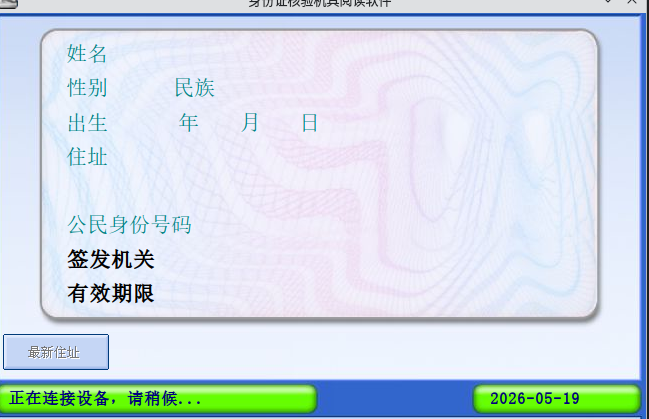
使用wireshark进行捕捉hid设备的通讯数据,需要安装插件并且选中usbpcab
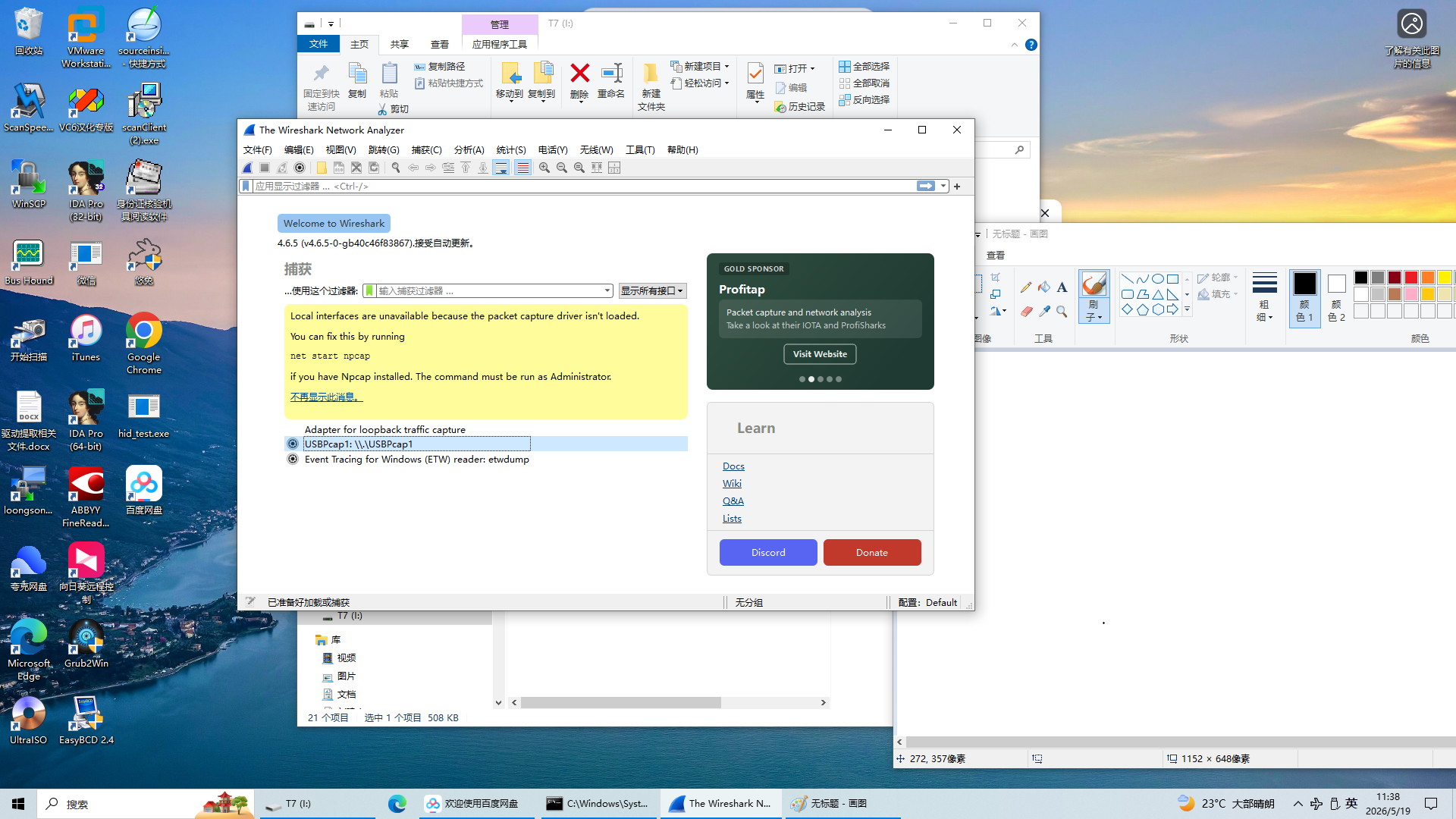
在usbtree中发现我的设备是6号端口
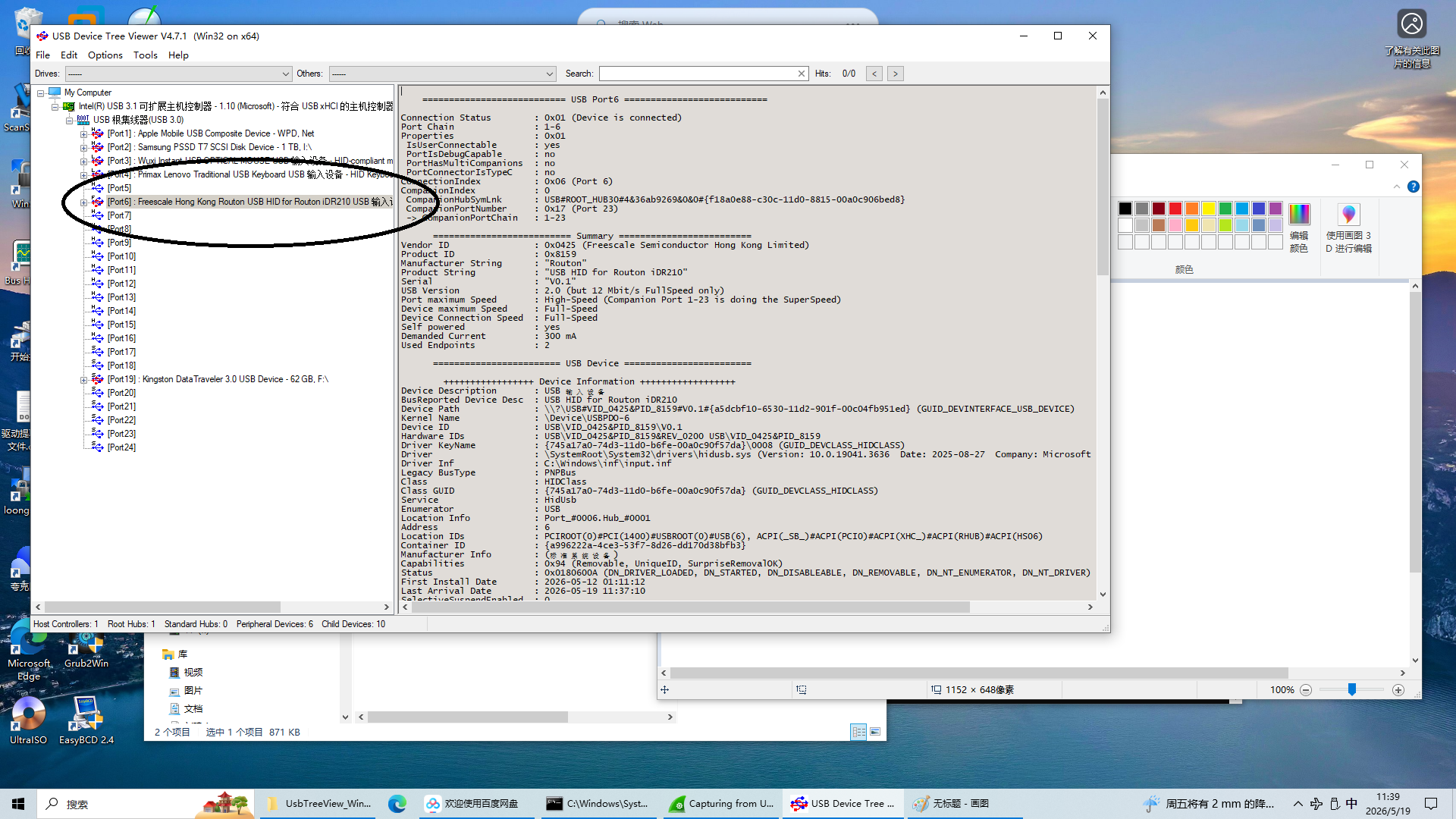
在wireshark中选择好过滤条件
usb.device_address=6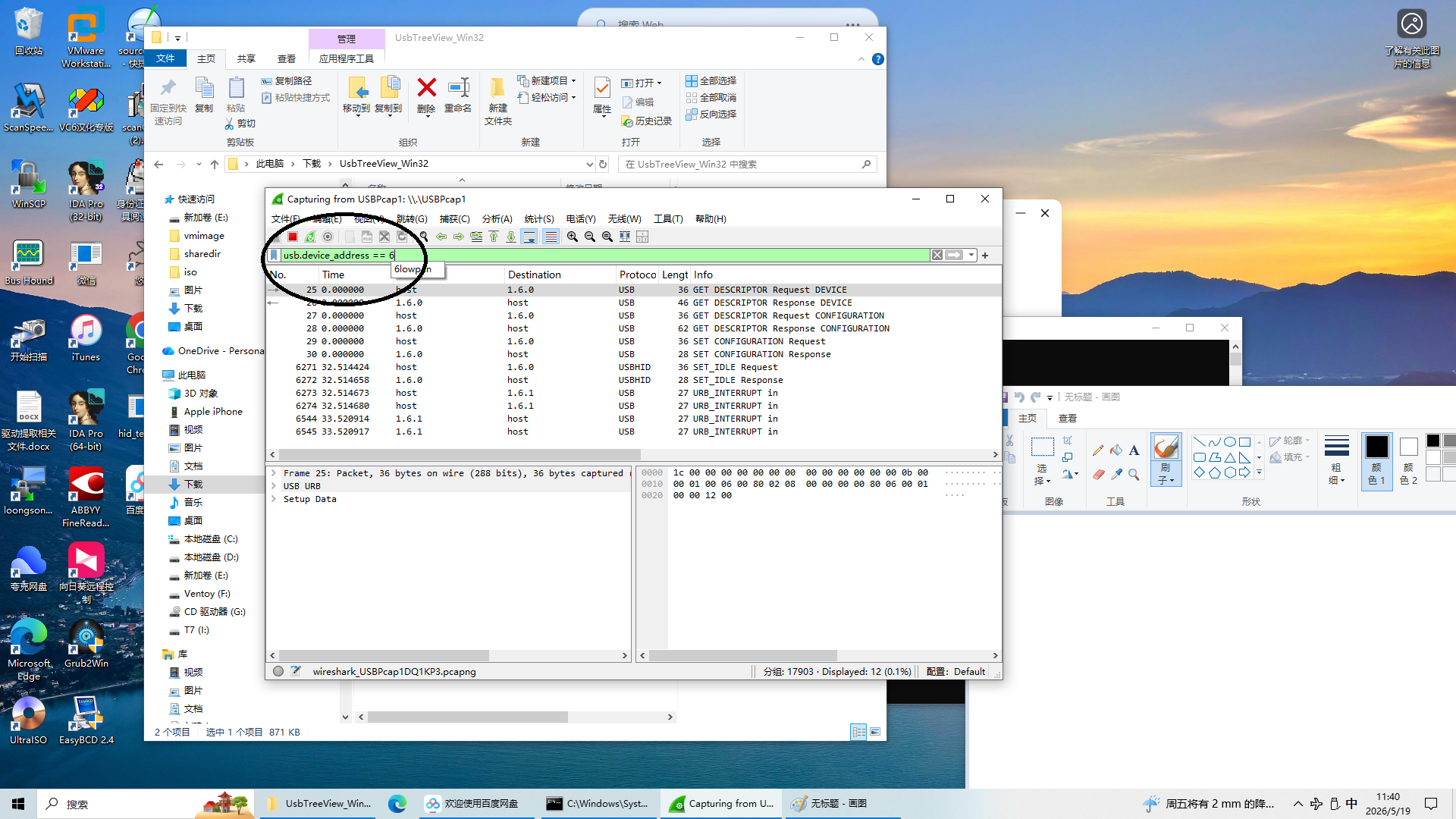
在wireshark中找到数据段,并将其拷贝出来
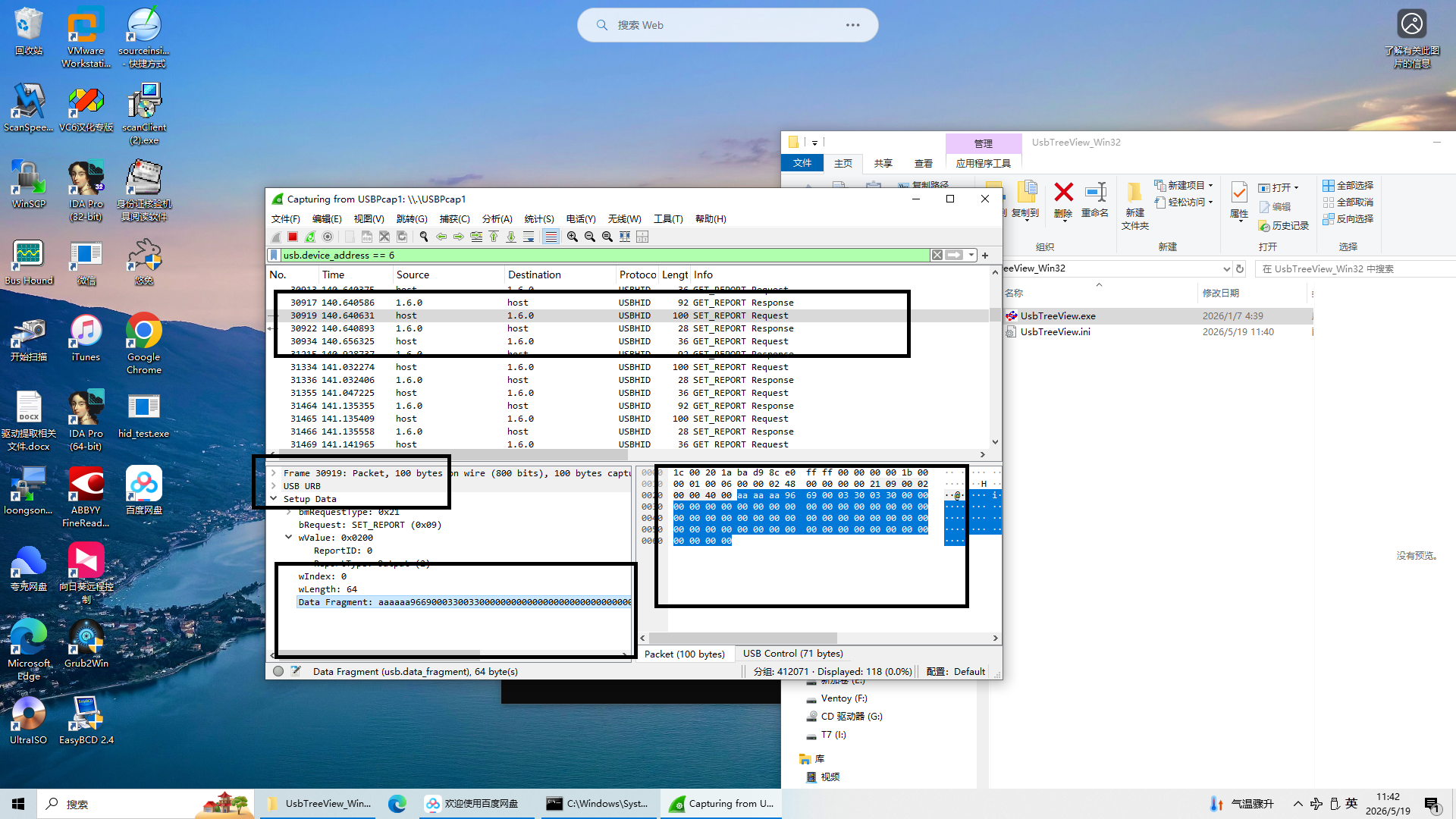
打印wine下日志,梳理wine与hid设备通讯流程,大致为HidD_SetOutputReport与设备通讯,再通过HidD_GetInputReport捕捉设备传来的数据
1
2
3
4
5
6
70024:trace:hid:HidD_SetOutputReport file 000000D8, report_buf 7BFDCD78, report_len 65.
00c4:trace:hid:pdo_ioctl device 00ED0430 code 0xb0195
00c4:trace:hid:hid_internal_dispatch write output report id 0 length 64:
......
0024:trace:hid:HidD_SetOutputReport file 000000D8, report_buf 7BFDCD78, report_len 65.
00c4:trace:hid:pdo_ioctl device 00ED0430 code 0xb0195
00c4:trace:hid:hid_internal_dispatch write output report id 0 length 64:完成测试程序,将步骤一捕捉的数据进行转发给设备
1
2
3
4
5
6
7
8
9
10
11
12
13
14
15
16
17
18
19
20
21
22
23
24
25
26
27
28
29
30
31
32
33
34
35
36
37
38
39
40
41
42
43
44
45
46
47
48
49
50
51
52
53
54
55
56
57
58
59
60
61
62
63
64
65
66
67
68
69
70
71
72
73
74
75
// 测试发送报告
void TestHidApi(const char* apiName, HANDLE hDevice,
BOOLEAN (WINAPI *pfnSendReport)(HANDLE, PVOID, ULONG),
USHORT reportLen, BOOL isOutput)
{
printf("\n--- Testing %s ---\n", apiName);
if (reportLen == 0) {
printf("Report length is zero, cannot test.\n");
return;
}
// 分配符合设备要求的缓冲区
BYTE *reportBuffer = (BYTE*)malloc(reportLen);
if (!reportBuffer) {
printf("Memory allocation failed.\n");
return;
}
memset(reportBuffer, 0, reportLen);
// 复制命令数据(注意不要超出缓冲区)
size_t dataSize = sizeof(g_ReportData) > reportLen ? reportLen : sizeof(g_ReportData);
memcpy(reportBuffer, g_ReportData, dataSize);
// 如果报告ID == 0,第一个字节必须为0(已经是0)
reportBuffer[0] = 0x00;
// 发送报告
BOOL bResult = pfnSendReport(hDevice, reportBuffer, reportLen);
if (bResult) {
HidD_GetInputReport(hDevice, reportBuffer, reportLen);
printf("HidD_GetInputReport succeeded, received %u bytes:\n", sizeof(reportBuffer));
for (DWORD i = 0; i < 64; i++) {
printf("%02X ", reportBuffer[i]);
if ((i+1) % 16 == 0) printf("\n");
}
printf("\n");
// 如果愿意,可 以尝试读取 Input Report,但此处不展开
} else {
printf("Call to %s failed, Error: %d\n", apiName, GetLastError());
}
free(reportBuffer);
}
int main()
{
printf("HID API Test Program (Fixed)\n");
// 1. 打开设备
HANDLE hDevice = GetHidDeviceHandle(VENDOR_ID, PRODUCT_ID);
if (hDevice == INVALID_HANDLE_VALUE) {
printf("Device not found (VID=0x%04X, PID=0x%04X)\n", VENDOR_ID, PRODUCT_ID);
return 1;
}
printf("Device opened successfully.\n");
// 2. 获取设备的报告长度
USHORT outputLen = 0, featureLen = 0;
if (!GetReportLengths(hDevice, &outputLen, &featureLen)) {
printf("Failed to get report lengths. Using defaults (64).\n");
outputLen = 64;
featureLen = 64;
}
printf("Force set featureLen = %u (ignoring device descriptor)\n", featureLen);
// 3. 测试两个 API
TestHidApi("HidD_SetOutputReport", hDevice, HidD_SetOutputReport, outputLen, TRUE);
//TestHidApi("HidD_SetFeature", hDevice, HidD_SetFeature, featureLen, FALSE);
// 4. 清理
CloseHandle(hDevice);
return 0;
}发现在wine下和window显示不一样,wine下并没有数据,window是可以捕捉的回复
这时候调研wine下是HidD_SetOutputReport和HidD_GetInputReport是如何访问设备,与设备进行交互,大致为
- HidD_SetOutputReport:HidD_SetOutputReport->pdo_ioctl->hid_device_xfer_report->unix_device_set_output_report->在调用linux的write进行写入数据
- HidD_GetInputReport:和上面一样不过是write换成了read
根据上面的逻辑完成一个linux读取的demo进行测试
1
2
3
4
5
6
7
8
9
10
11
12
13
14
15
16
17
18
19
20
21
22
23
24
25
26
27
28
29
30
31
32
33
34
35
36
37
38
39
40
41
42
43
44
45
46
47
48
49
50
51
52
53
54
55
56
57
58
59
60
61
62
63
64
65
66
67
int test_output_report(int fd) {
unsigned char buffer[REPORT_LEN + 1];
int ret, len = REPORT_LEN;
fd_set fds;
struct timeval tv;
// 发送 Output Report(中断端点)
// 如果 reportId == 0,需要先写一个字节的 0 作为报告 ID,后面跟数据
memset(buffer, 0, sizeof(buffer));
buffer[0] = 0x00;
memcpy(buffer + 1, report_data, REPORT_LEN);
ret = write(fd, buffer, REPORT_LEN + 1);
if (ret < 0) {
perror("write (Output Report)");
return -1;
}
printf("Output Report sent %d bytes (including report ID)\n", ret);
// 尝试读取 Input Report(中断端点)
FD_ZERO(&fds);
FD_SET(fd, &fds);
tv.tv_sec = 1;
tv.tv_usec = 0;
ret = select(fd + 1, &fds, NULL, NULL, &tv);
if (ret < 0) {
perror("select");
return -1;
} else if (ret == 0) {
printf("Output Report: No Input Report received (timeout)\n");
return -1;
} else {
unsigned char inbuf[REPORT_LEN + 1];
ret = read(fd, inbuf, sizeof(inbuf));
if (ret > 0) {
print_hex("Input Report (via interrupt)", inbuf, ret);
return 0;
} else {
printf("Output Report: read failed\n");
return -1;
}
}
}
int test_feature_report(int fd) {
unsigned char outbuf[REPORT_LEN];
unsigned char inbuf[REPORT_LEN];
int ret;
// 发送 Feature Report
memcpy(outbuf, report_data, REPORT_LEN);
ret = ioctl(fd, HIDIOCSFEATURE(REPORT_LEN), outbuf);
if (ret < 0) {
perror("ioctl HIDIOCSFEATURE");
return -1;
}
printf("Feature Report sent %d bytes\n", ret);
// 读取 Feature Report
memset(inbuf, 0, REPORT_LEN);
ret = ioctl(fd, HIDIOCGFEATURE(REPORT_LEN), inbuf);
if (ret < 0) {
perror("ioctl HIDIOCGFEATURE");
return -1;
}
print_hex("Feature Report received", inbuf, ret);
return 0;
}发现在debian13下无法使用
read来读取和这个hid设备通讯的数据,但是FEATURE是可以的,如下图: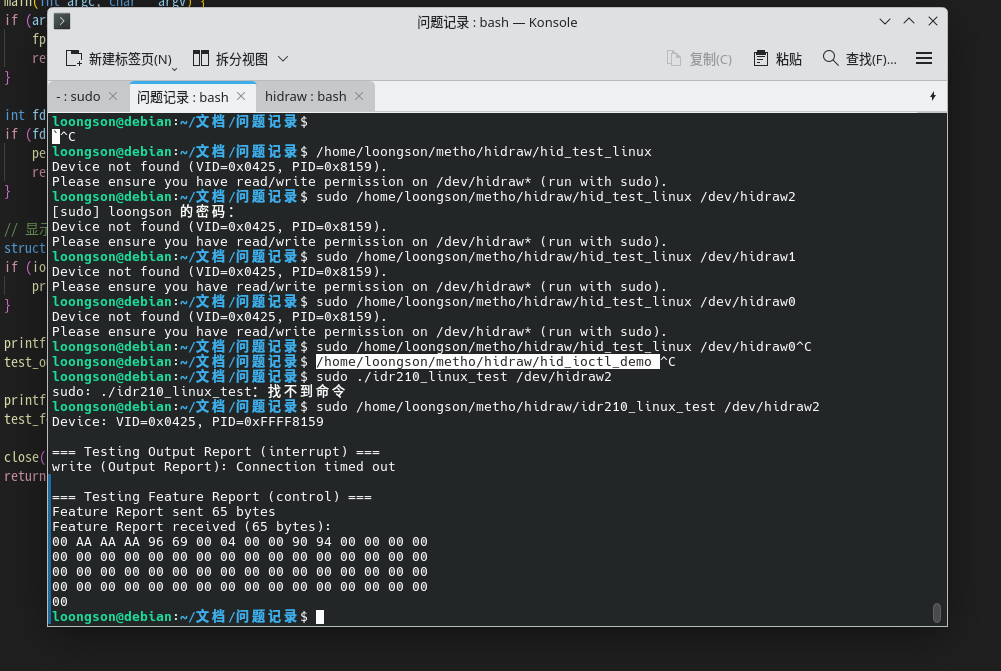
由于该问题是系统性不支持,只能在wine中做一个重试机制,代码如下
1
2
3
4
5
6
7
8
9
10
11
12
13
14
15
16
17
18
19
20
21
22
23
24+BOOL IsDataEmpty(const BYTE *data, DWORD length)
+{
+ DWORD i;
+ for (i = 0; i < length; i++) if (data[i]) return FALSE;
+ return TRUE;
+}
+
static NTSTATUS WINAPI hid_internal_dispatch(DEVICE_OBJECT *device, IRP *irp)
{
IO_STACK_LOCATION *irpsp = IoGetCurrentIrpStackLocation(irp);
@@ -1570,6 +1577,12 @@ static NTSTATUS WINAPI hid_internal_dispatch(DEVICE_OBJECT *device, IRP *irp)
packet->reportBufferLen = last_report->length;
irp->IoStatus.Information = packet->reportBufferLen;
irp->IoStatus.Status = STATUS_SUCCESS;
+ if(IsDataEmpty(packet->reportBuffer, packet->reportBufferLen)){
+ TRACE("read empty input report id %u length %lu, need feature report\n", packet->reportId, packet->reportBufferLen);
+ unix_device_get_feature_report(device, packet, &irp->IoStatus);
+ if (!irp->IoStatus.Status) hidraw_disable_report_fixups(device);
+ break;
+ }
if (TRACE_ON(hid))
{
TRACE("read input report id %u length %lu:\n", packet->reportId, packet->reportBufferLen);
--
验证
修改后运行如下图: